This article runs through how to leverage the use of Project Tags to allow you to organise your Projects and enhance reporting.
Users with Project Administrator or Workspace Administrator permissions can add Tags to Projects they're assigned to.
All Users with access to the Project list can view Project Tags.
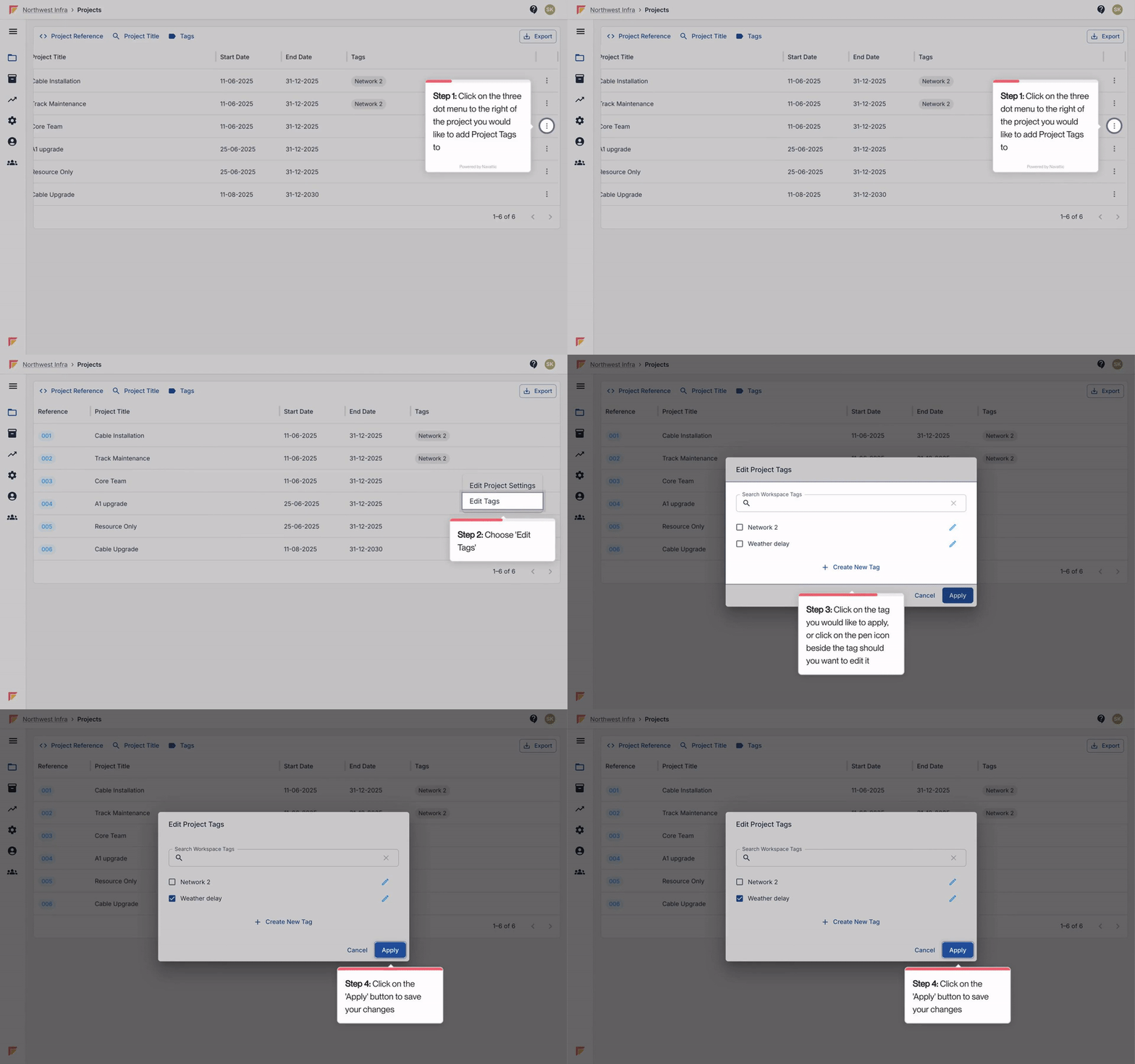
On the Project overview screen, Click the hamburger menu to the right of the Project you would like to create a new tag for.
From here, select ‘Edit Tags’.
Click ‘+ Create new tag’.
Enter the name of the new tag and click ‘Create New Tag’.
Ensure the tag is selected to be applied, and click ‘Apply’.
On the Project overview screen, Click the hamburger menu to the right of the Project you would like assign a tag to.
From here, select ‘Edit Tags’.
In the list of available tags, select the tag you would like to apply to the project.
Once making your changes, click ‘Apply’.
