This article runs through Gather's Fatigue Key Insights dashboard, designed to give you real-time visibility of who is at risk of Fatigue across your workforce.
The dashboard turns the data captured in your Shift Records into a set of visual dashboards, so you can spot Exceedances early and take action before they become a problem.
Please note: Fatigue Key Insights needs to be enabled for your Workspace. If you can't see it, please contact Gather Support or your Account Manager.
Fatigue Key Insights is split into five tabs, each designed for a specific moment in your Fatigue monitoring workflow.
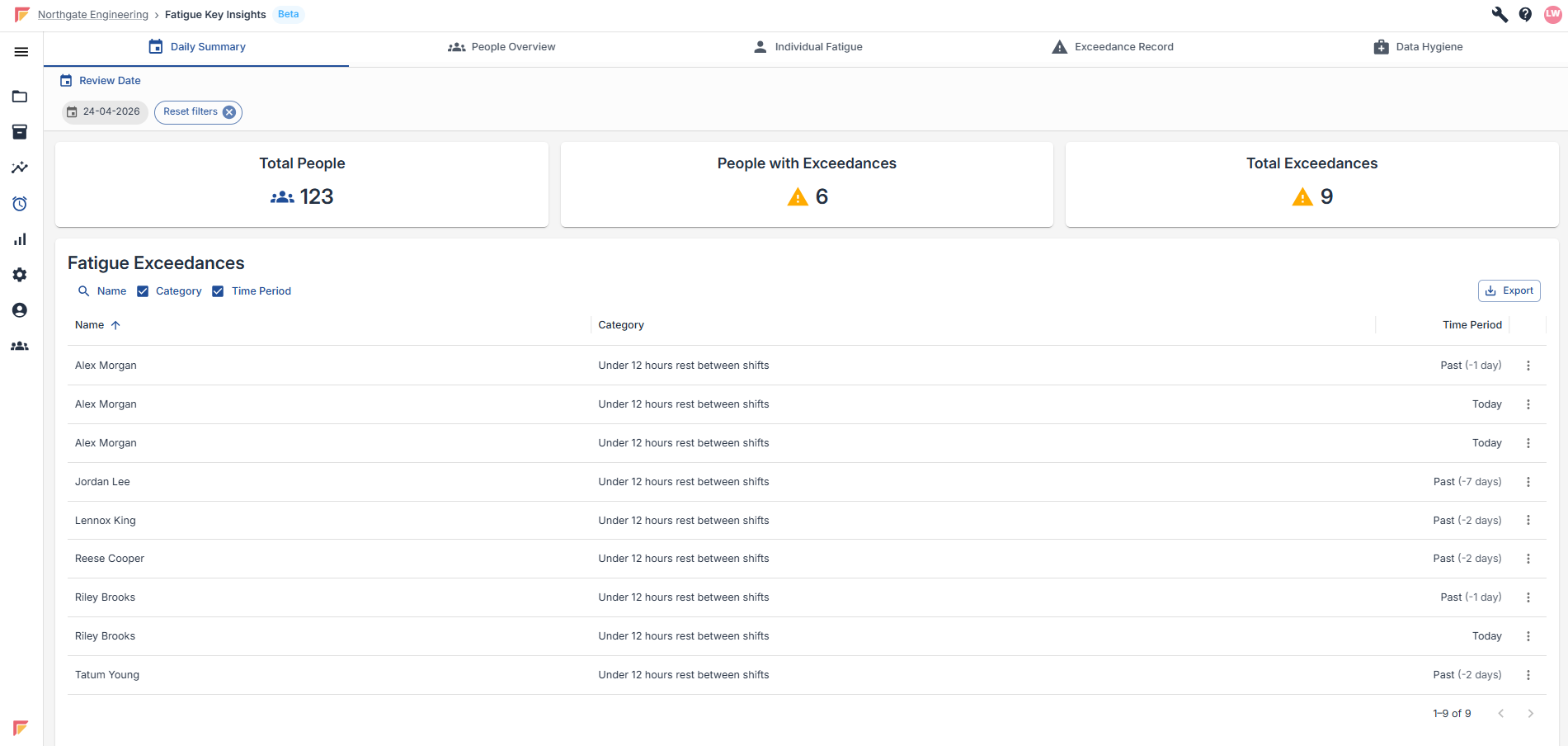
The Daily Summary gives you today's headline Fatigue figures at a glance — total People on Shift Records, People with Exceedances, and Total Exceedances. A filterable Exceedance table lets you drill into the detail by name, category and time period.
Used for: a quick daily check on who is at risk right now, so your team can act before shifts start.
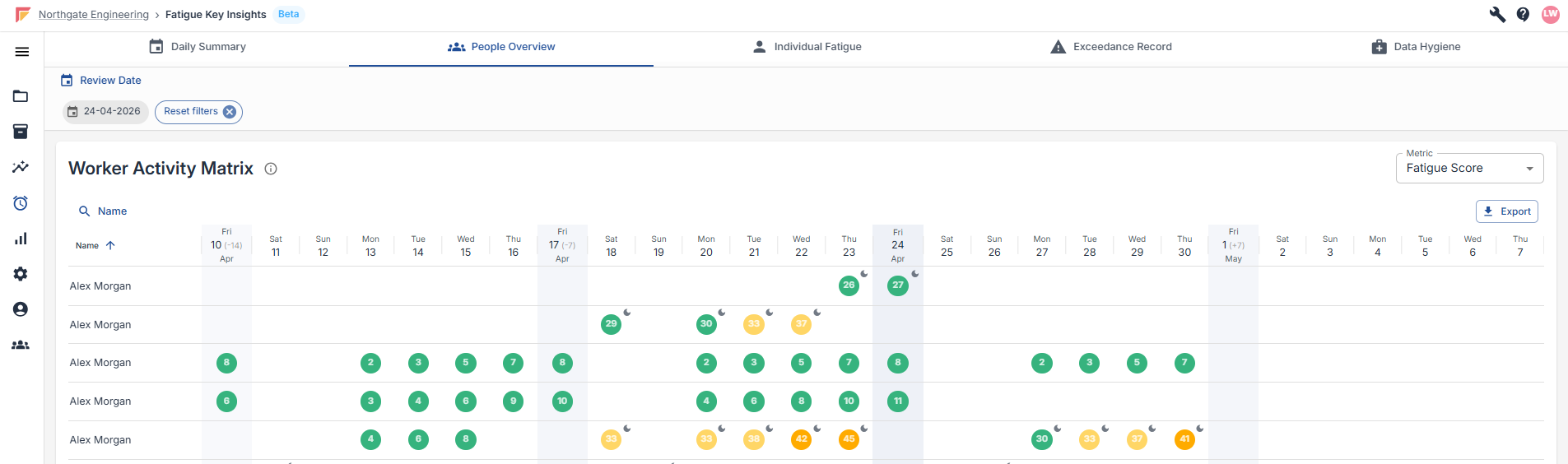
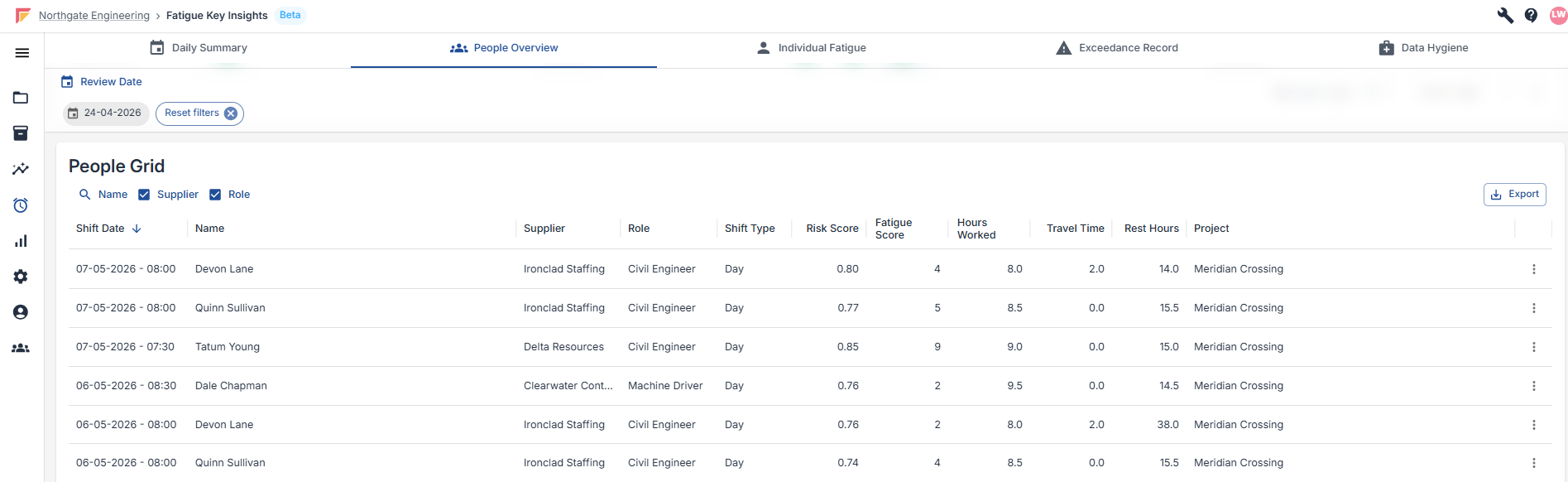
The People Overview breaks Fatigue down across your workforce, showing who is clocking the most hours, who is flagging Exceedances most often, and how individuals compare to each other over the selected period.
Used for: spotting which people are repeatedly flagging issues, so attention can be focused on the right individuals.
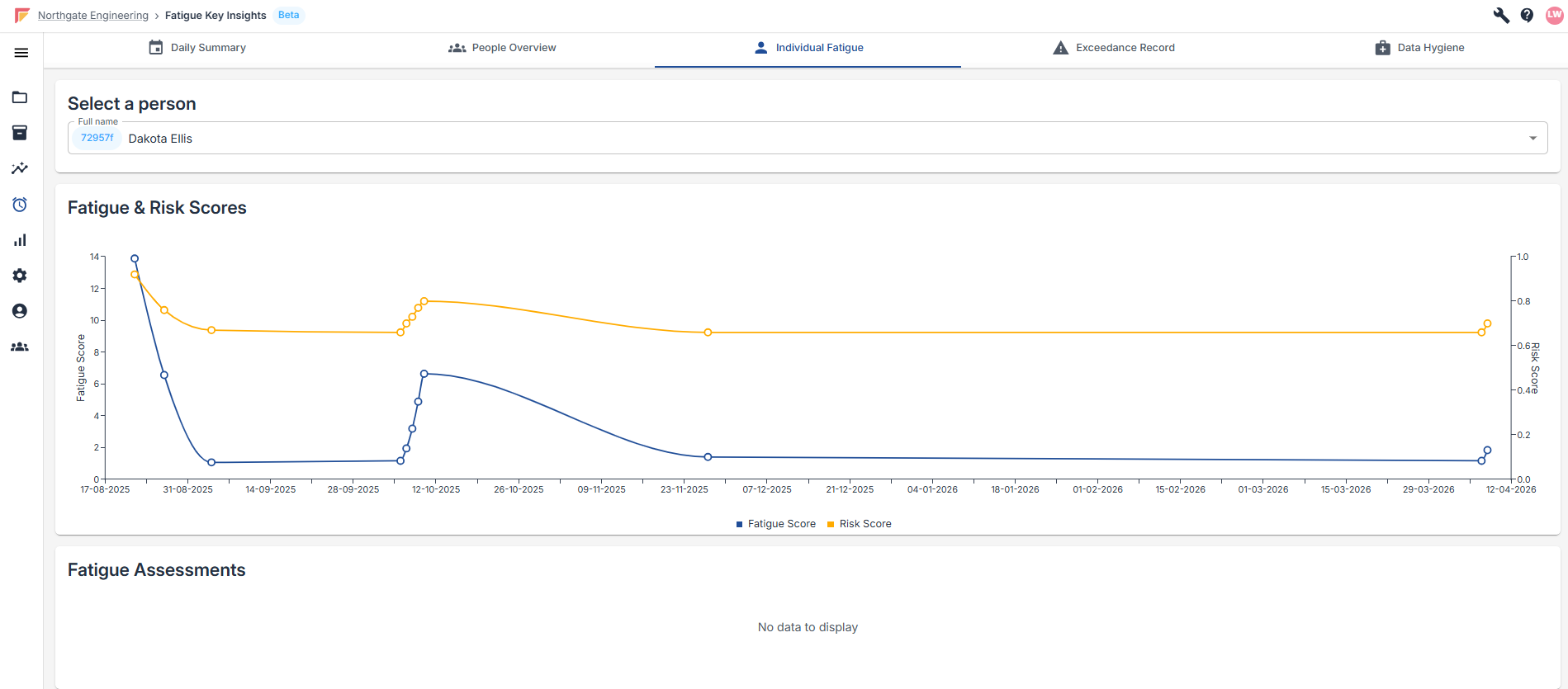
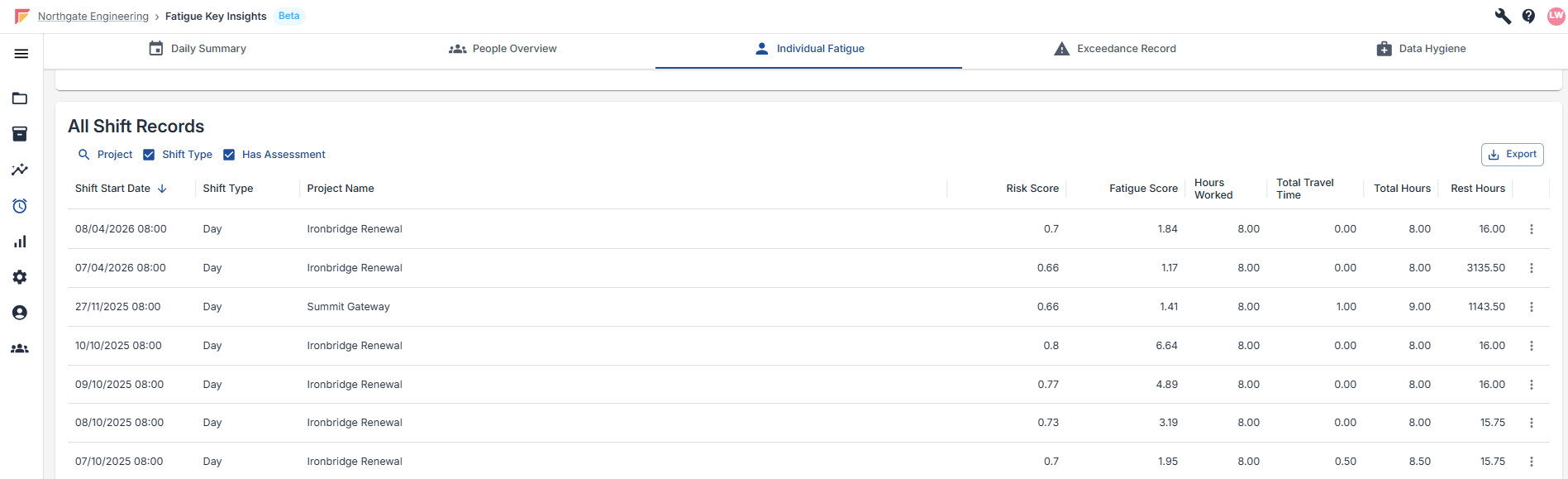
The Individual Fatigue tab drills into one person's Fatigue Scores and Risk Scores over time, shown both visually and as a data table.
Used for: investigating a specific person's Fatigue history once they've been flagged — for example during a welfare check, a Risk Assessment, or a post-incident review.
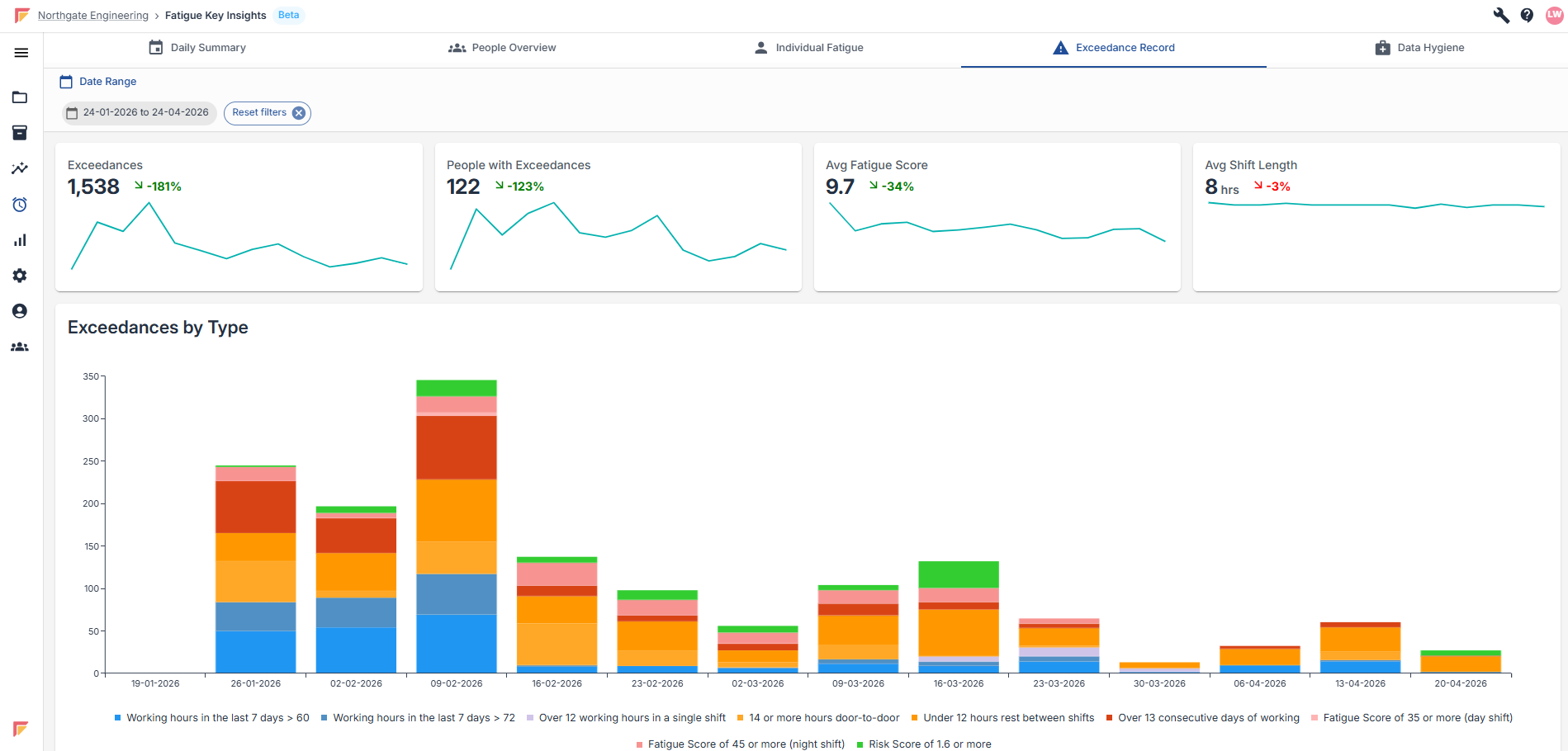
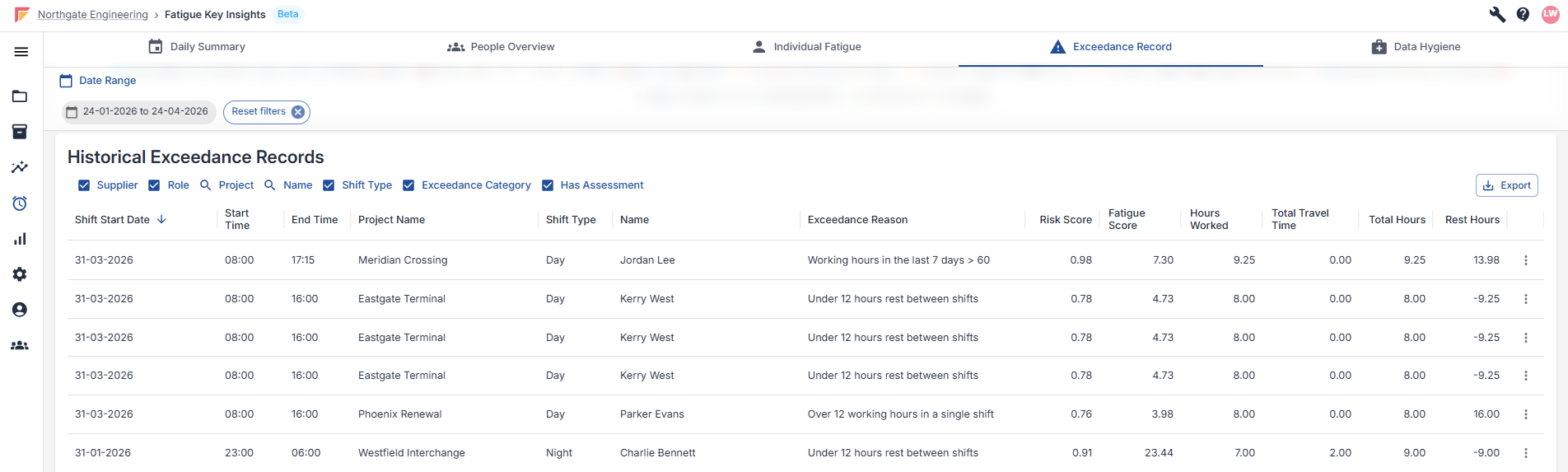
The Exceedance Record shows historical Exceedances by period, with Average Fatigue Score and Average Shift Length as headline KPIs.
Used for: reporting on Fatigue performance over time — client reviews, audits, and compliance reporting.
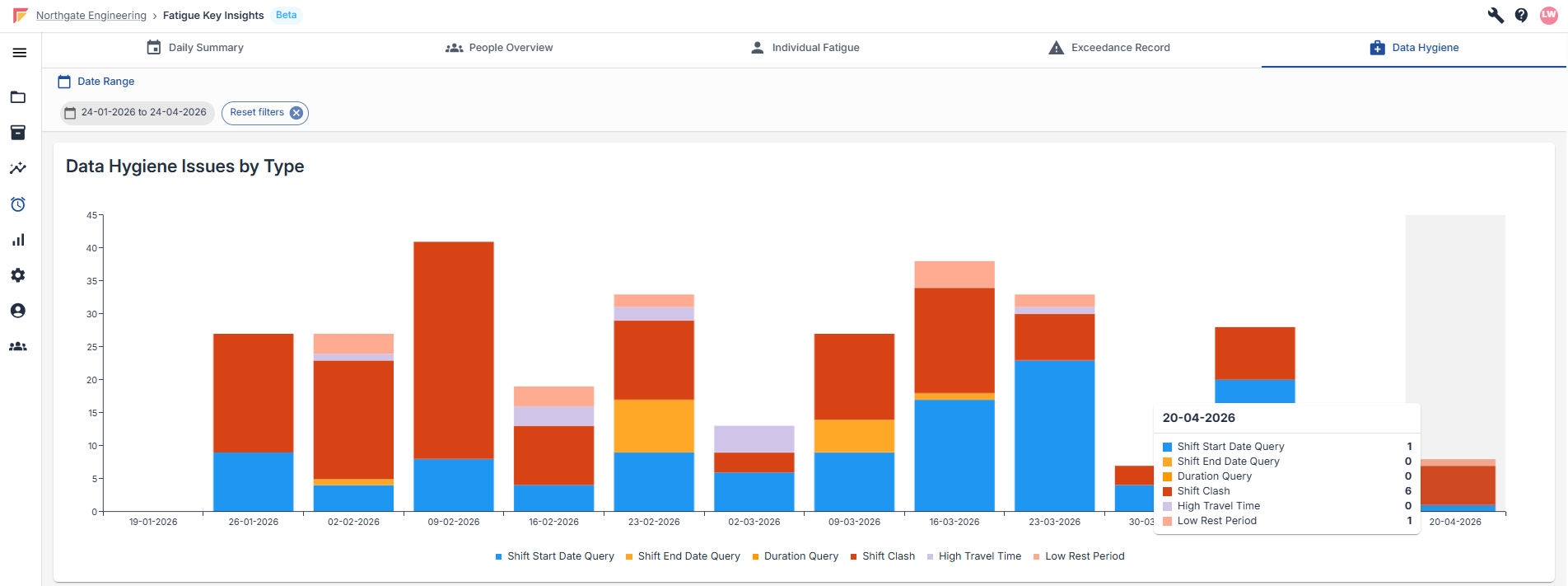
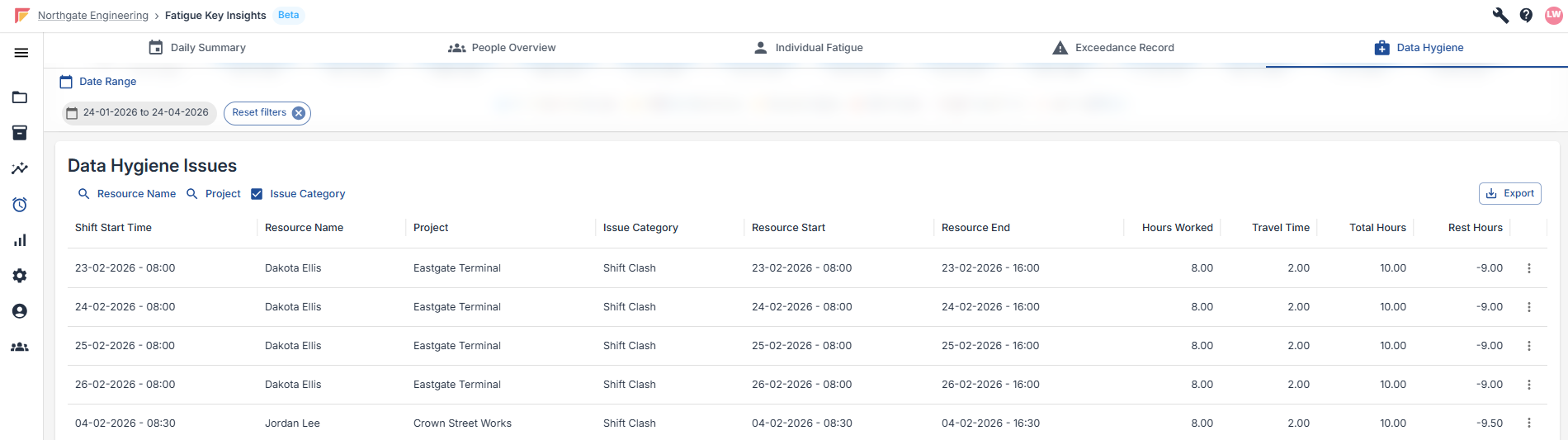
The Data Hygiene tab flags potential data entry issues in your Shift Records, sorted by type and month. These are things that could skew your Fatigue reporting if left unchecked.
Used for: regular housekeeping, typically as a weekly or monthly task, to keep your Fatigue data clean and trustworthy.
Exceedances are breaches of Gather's Fatigue thresholds — things like excessive weekly hours, insufficient rest between shifts, or a high Fatigue or Risk Score.
For the full list of thresholds and how Fatigue and Risk Scores are calculated, see our Fatigue Risk Index article below.
Fatigue Risk Index Explained
Understanding Risk and Fatigue Scores
Data Hygiene issues are different from Exceedances. They flag possible data entry problems rather than Fatigue breaches — things that suggest a Shift Record may have been entered incorrectly, or rest conditions worth a closer look. Keeping on top of these keeps the rest of your Fatigue data accurate.
Possible data entry errors:
Shift Start Date Query: the individual's recorded start time is more than 2 hours off the Shift Record's start time. The shift may have started later than Planned, or the time may have been entered wrong.
Shift End Date Query: the individual's end time is more than 14 hours after the Shift Record's start time. Either an unusually long shift, or an incorrect end time.
Duration Query: a single shift has over 15 hours worked. Very few shifts legitimately run this long, so it's usually a data entry error.
Shift Clash: a worker appears on two overlapping shifts — one shift started before the previous one ended. Almost always a data error.
Rest-related flags:
High Travel Time: rest between shifts is under 10 hours, but would be 10 hours or more without travel time. The worker had enough rest overall, but the commute is eating into it.
Low Rest Period: rest between shifts is under 10 hours and isn't caused by a Shift Clash or excessive travel. A genuine low-rest concern.
A couple of things worth knowing: the first shift for each person is excluded from rest-based flags (there's no previous shift to compare against), and a single shift can trigger multiple Data Hygiene flags at once — for example a Duration Query and a Shift Start Date Query on the same record.
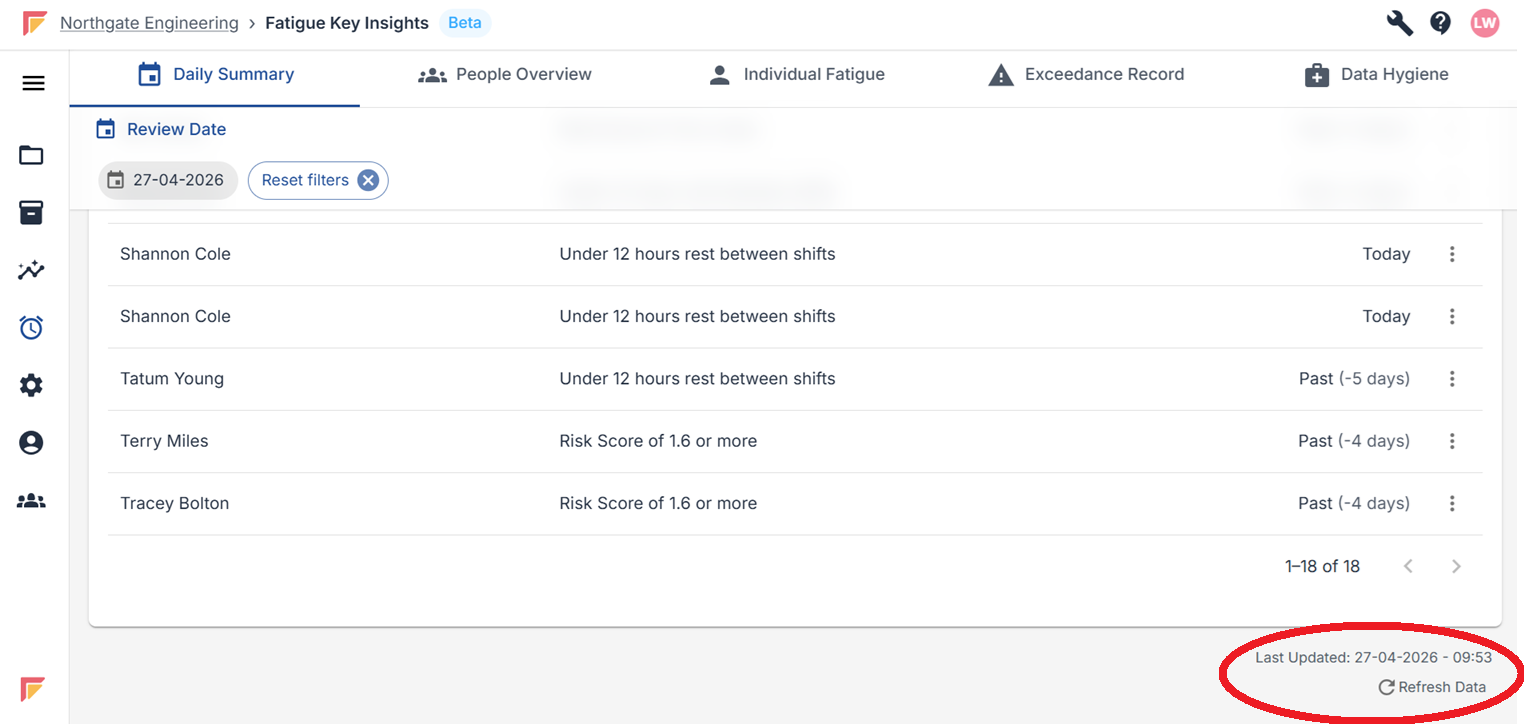
Data is cached for up to 1 hour. If more recent data is required a user can manually refresh the data using their browsers refresh functionality or the ‘Refresh Data’ button at the bottom right side of the dashboard page. See the image below for reference to the refresh button:
Overview of Fatigue Management
Managing Fatigue Risk on Construction Projects
Fatigue Risk Index Explained
Understanding Risk and Fatigue Scores
Key Insights Overview
Key Project Insights
Key Insights FAQ
Common questions about Key Insights
If you'd like to discuss the Fatigue thresholds used for your Workspace, please contact Gather Support.
